← Getting Started
🚀 Getting Started
How do I purchase a program?
How to choose the right Orion program and complete your order.
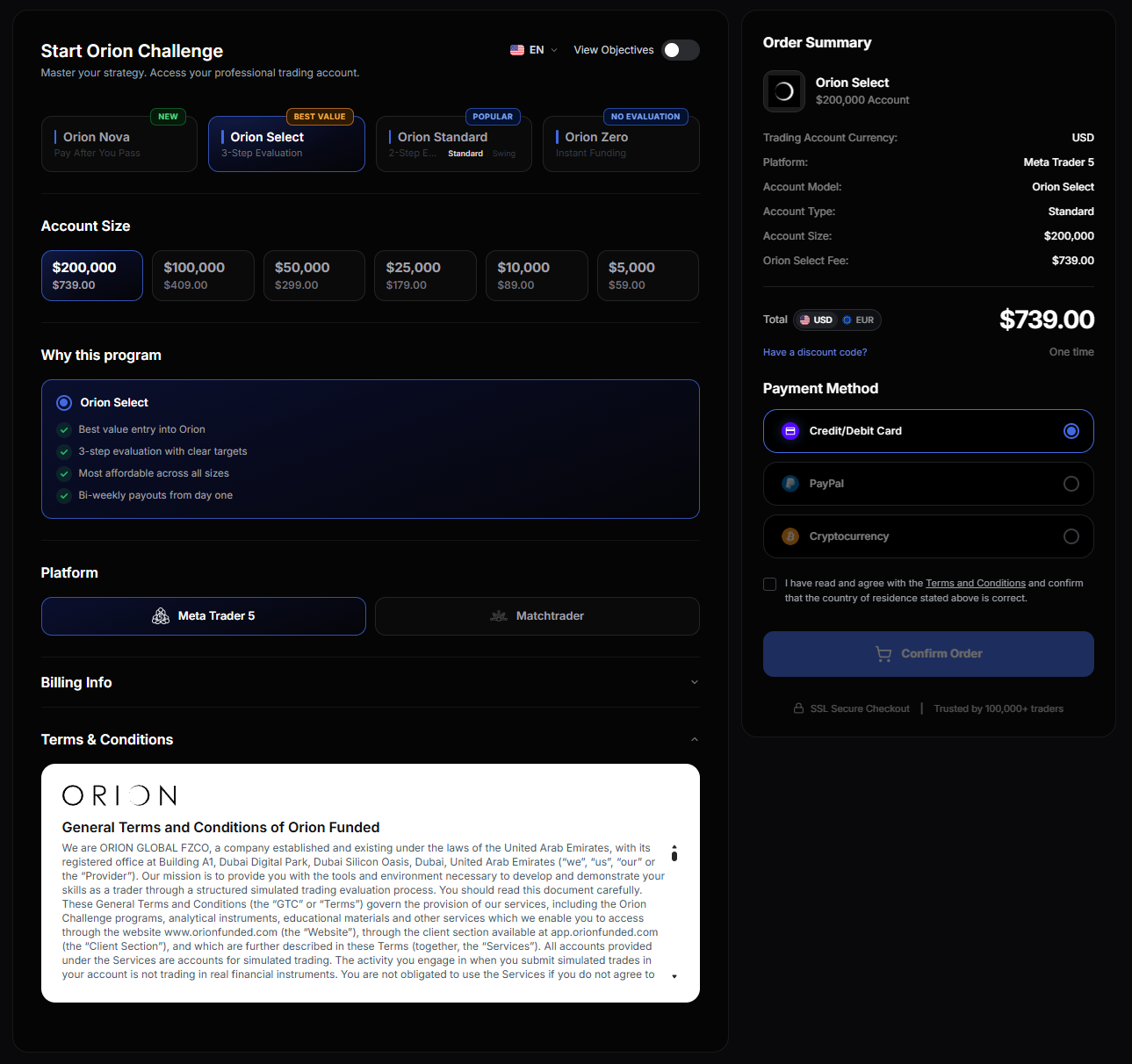
How to order
- Go to app.orionfunded.com and log in, or Register if you don't have an account yet
- Click Start new challenge
- Select your program
- Choose your account size
- If on Orion Standard, select your account type: Standard or Swing
- Select your platform: MT5 or MatchTrader
- Fill in your billing info and confirm your order
- Payment is one-time. Your credentials arrive by email and in your Client Section once payment clears
ℹ️
Your 14-day withdrawal right
If you're a consumer and haven't placed any trades yet, you have 14 days from purchase to withdraw from the Agreement and receive a full refund. Once you open your first trade, this right no longer applies. Contact [email protected] if you'd like to use it.
When does the evaluation start?
Your evaluation activates on your first simulated trade, not at purchase. You can set up MT5 or MatchTrader and review the rules before starting.
ℹ️
Inactivity expiry
If you don't place any trade within 30 consecutive calendar days, your account expires automatically. There is no fee to request a replacement, though it is at Orion's discretion.