🏖️ BUY 2 GET 3, Celebrate this Summer with more Opportunities 🏄🏖️ COMPRA 2 Y LLÉVATE 3, Celebra este verano con más oportunidades 🏄
Navigation
New to Orion 🚀 Getting Started 📋 Programs & Rules 📈 Trading & Platform 💰 Rewards 💵 Rise V2 🧾 Billing & Orders 👤 Account & Support 🤝 Affiliate Program
← Getting Started
🚀 Getting Started

What is the Client Section?

Your Orion dashboard and what each section shows.

Main sections

  • Account Summary: simulated balance, equity, current phase, and progress toward your profit target
  • Risk Metrics: daily loss and max drawdown remaining, updated in real time
  • Trade History: all closed positions with P&L, instrument, and duration
  • Orion Identity: unlocks after passing evaluation, used for KYC and contract signing
  • Reward Center: available reward balance and request history (Orion Trader Accounts only)
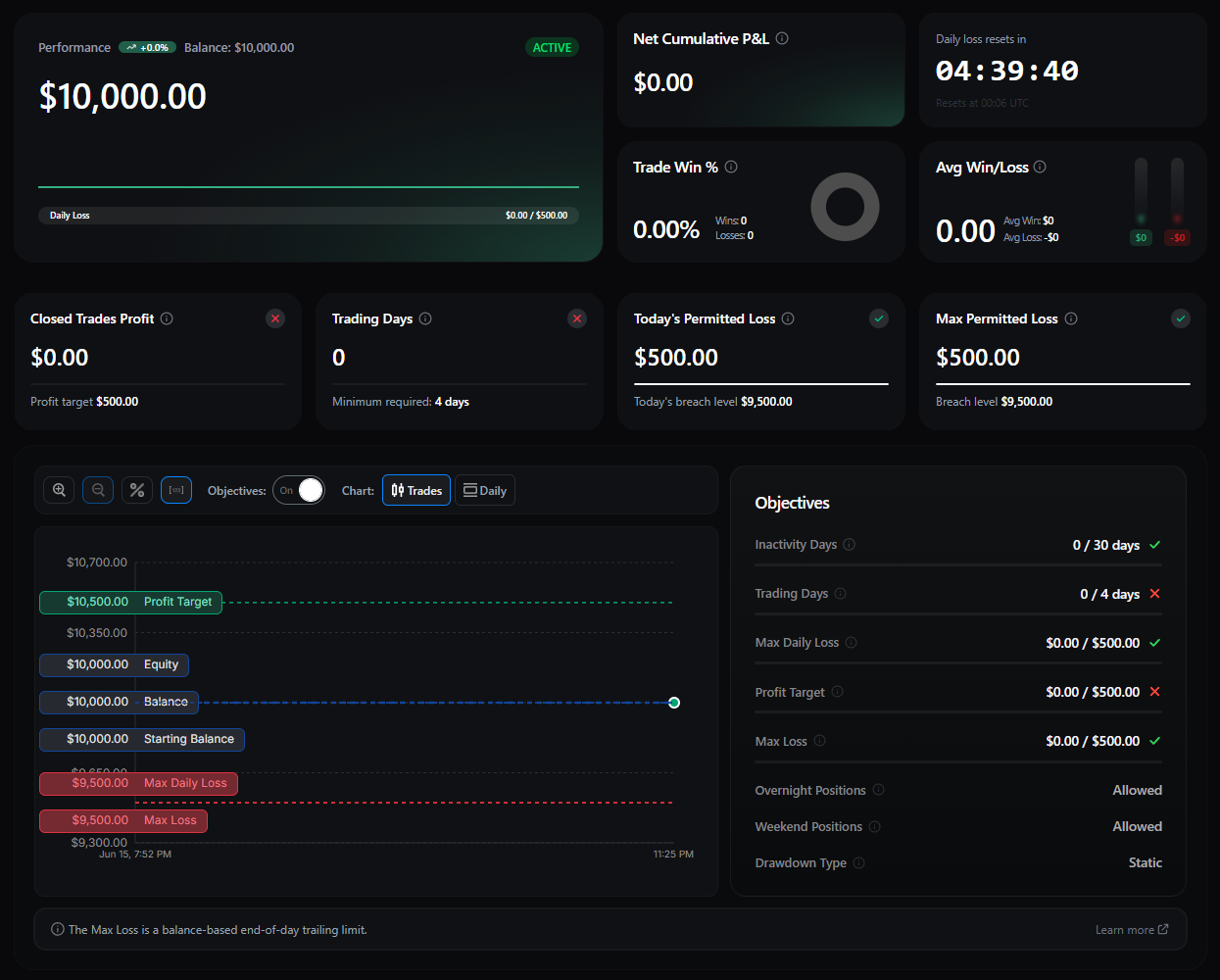
Orion Client Section dashboard screenshot
ℹ️
Dashboard and your trading platform
The Client Section now updates in real time, so your balance, equity, and risk metrics stay in sync with MT5 and MatchTrader as you trade.
Was this helpful?

Please note that all accounts we provide to our clients are demo accounts with fictitious funds and any trading is in a simulated environment only. For more information, please feel free to visit our FAQ section.
Tenga en cuenta que todas las cuentas que proporcionamos a nuestros clientes son cuentas demo con fondos ficticios y cualquier operación se realiza únicamente en un entorno simulado. Para más información, no dude en visitar nuestra sección de FAQ.