How do I verify my trader account with Rise Pay?
A simple step-by-step guide: find your Nano ID on Rise, paste it in Orion, and get verified.
Why verification is needed
Orion pays rewards through Rise Pay. Before your first payout, you need to connect your Rise account to your Orion trader account. It's a one-time setup, and this page walks you through the whole process.
Step 1: Find your Nano ID on Rise
Your Nano ID is a short code that identifies your Rise account, a bit like an account number. It always starts with us-, for example: us-UKvPzy2qb7Df (yours will be different).
1. Open your Rise profile. Log in to Rise and go to app.riseworks.io/account/profile. You'll see your profile card.
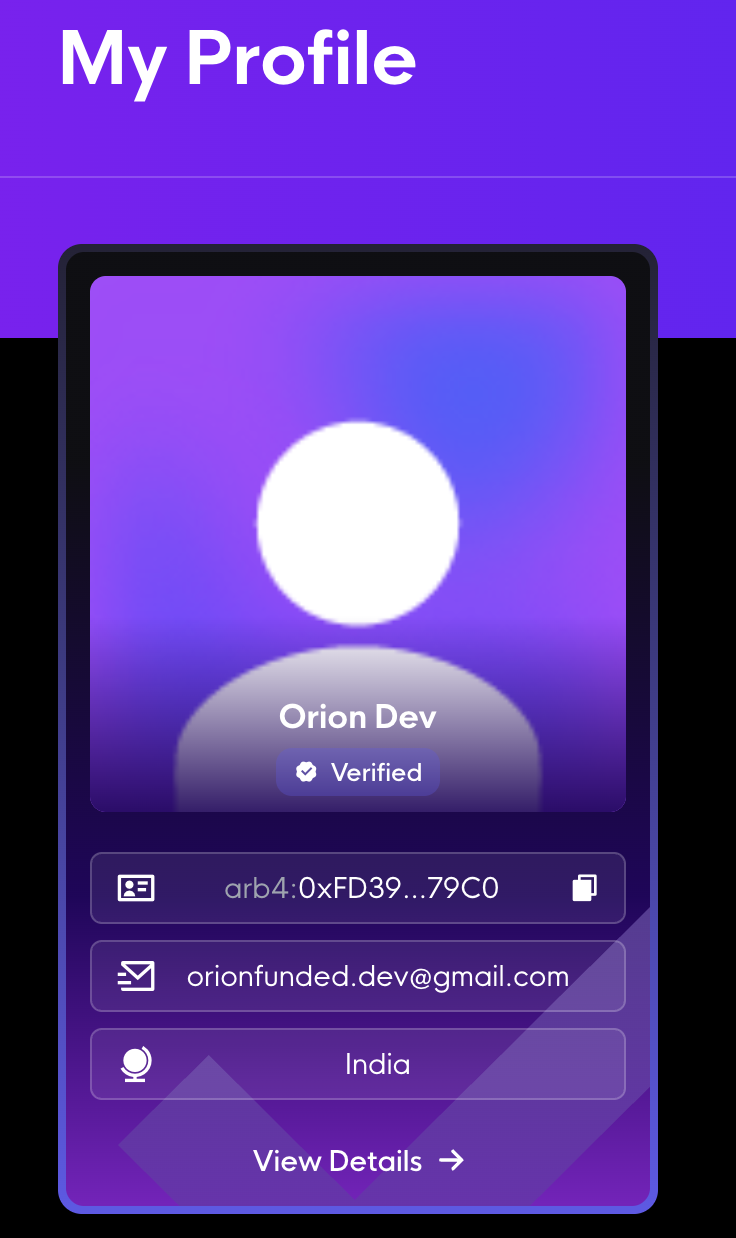
2. Press “View Details” at the bottom of your profile card.
3. Copy your Nano ID. Under General Info, it's the short code that starts with us-.
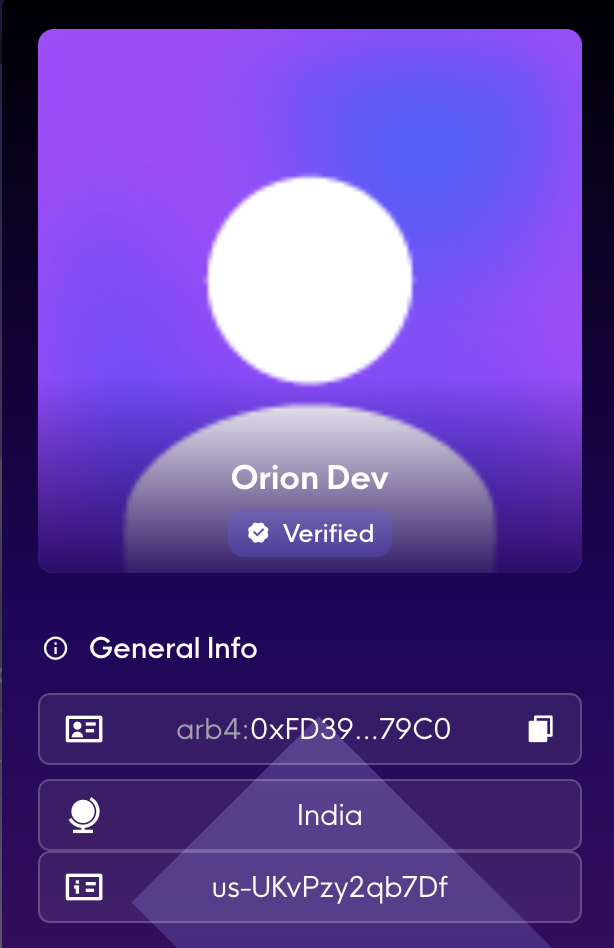
Step 2: Paste your Nano ID in Orion
1. Open Withdrawals. Log in to the Orion platform and go to the Withdrawals page.
2. Click the Rise card under Withdrawal Methods.
3. Paste your Nano ID and press Save.
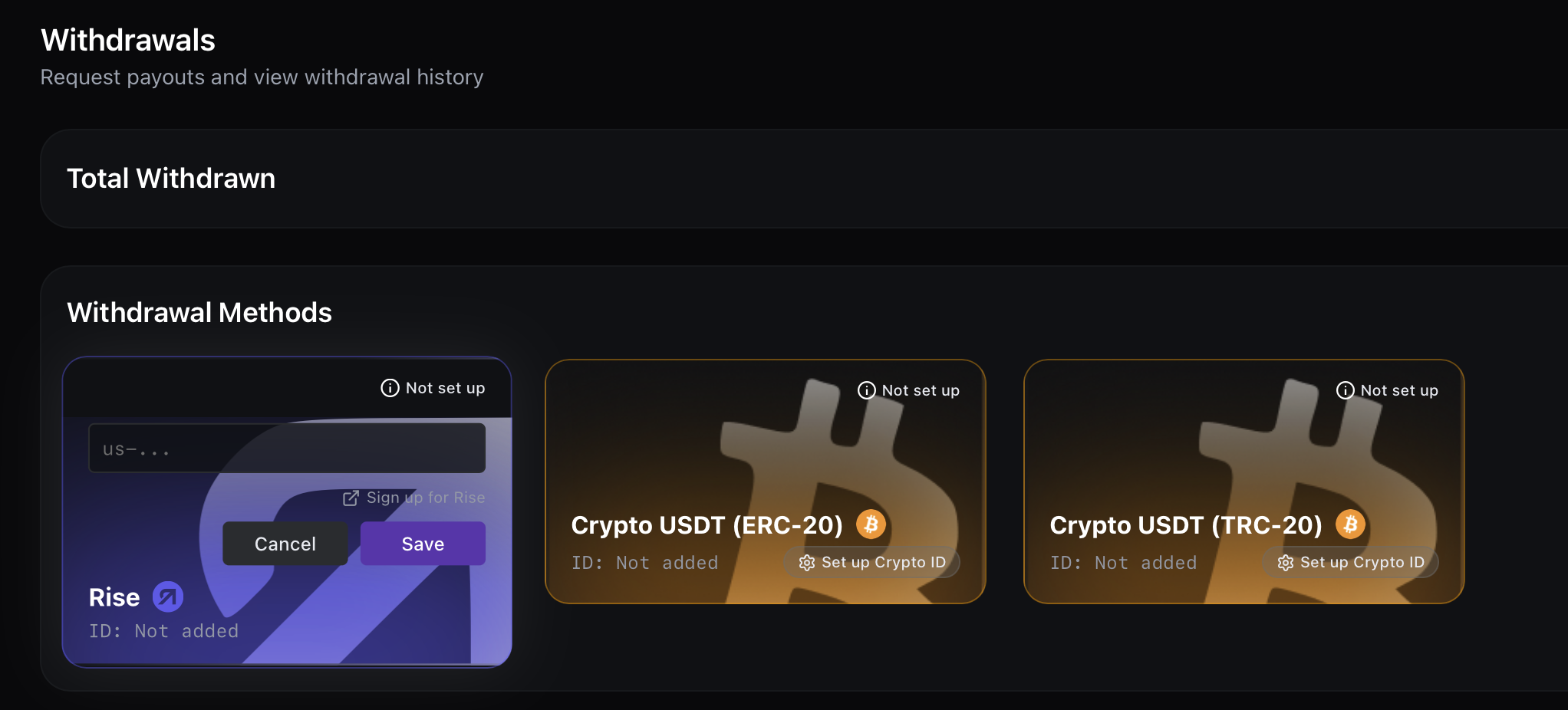
Step 3: Get verified
- Already part of the Orion team on Rise? Your account is verified instantly. You're done!
- New user? Rise sends an invite to your email. Accept it and sign the contract to become part of the team. Then check back on the Withdrawals page — your account will show as verified.
- Why verification is needed
- Step 1: Find your Nano ID on Rise
- Step 2: Paste your Nano ID in Orion
- Step 3: Get verified